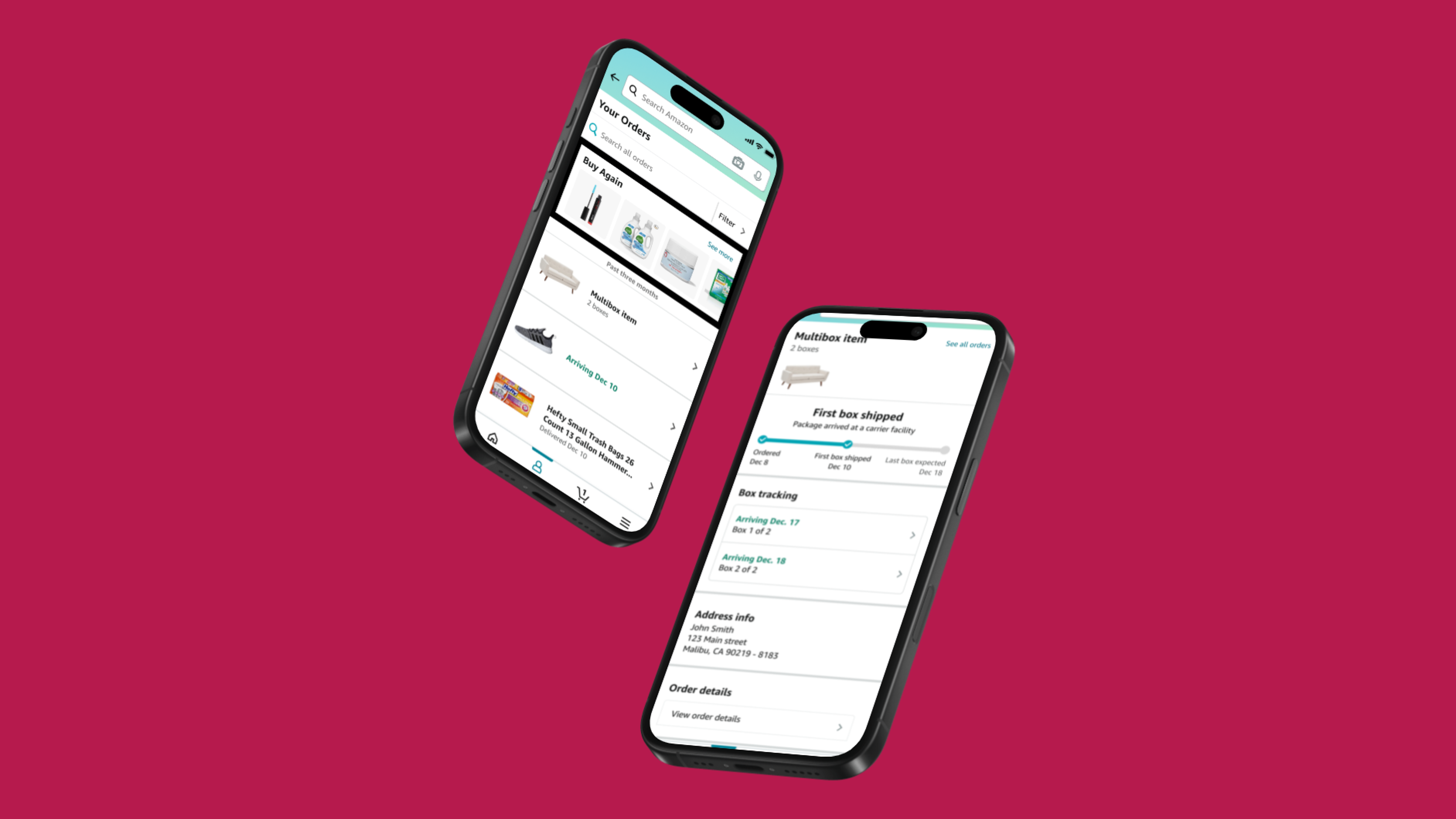
A complete picture of an incomplete delivery
A sofa or home gym can arrive in several boxes on different days. Amazon showed the status of just one package, leaving customers unable to track the rest.
I led the UX design of the Multi-Box Order Experience, creating a framework for customers to track each box within a single order. The project delivered $100M in reduced concessions.
One box’s status stood in for the whole order
The progress tracker followed one randomly assigned box. Other boxes could be delayed or missing without the customer being able to track them.
- Return and exchange controls appeared when that one box arrived, even if the rest of the product had not.
- Returns generated only one shipping label. Carriers could not collect the remaining boxes without additional labels.
- Customer support had to locate boxes and supply labels, adding cost and delaying resolution.
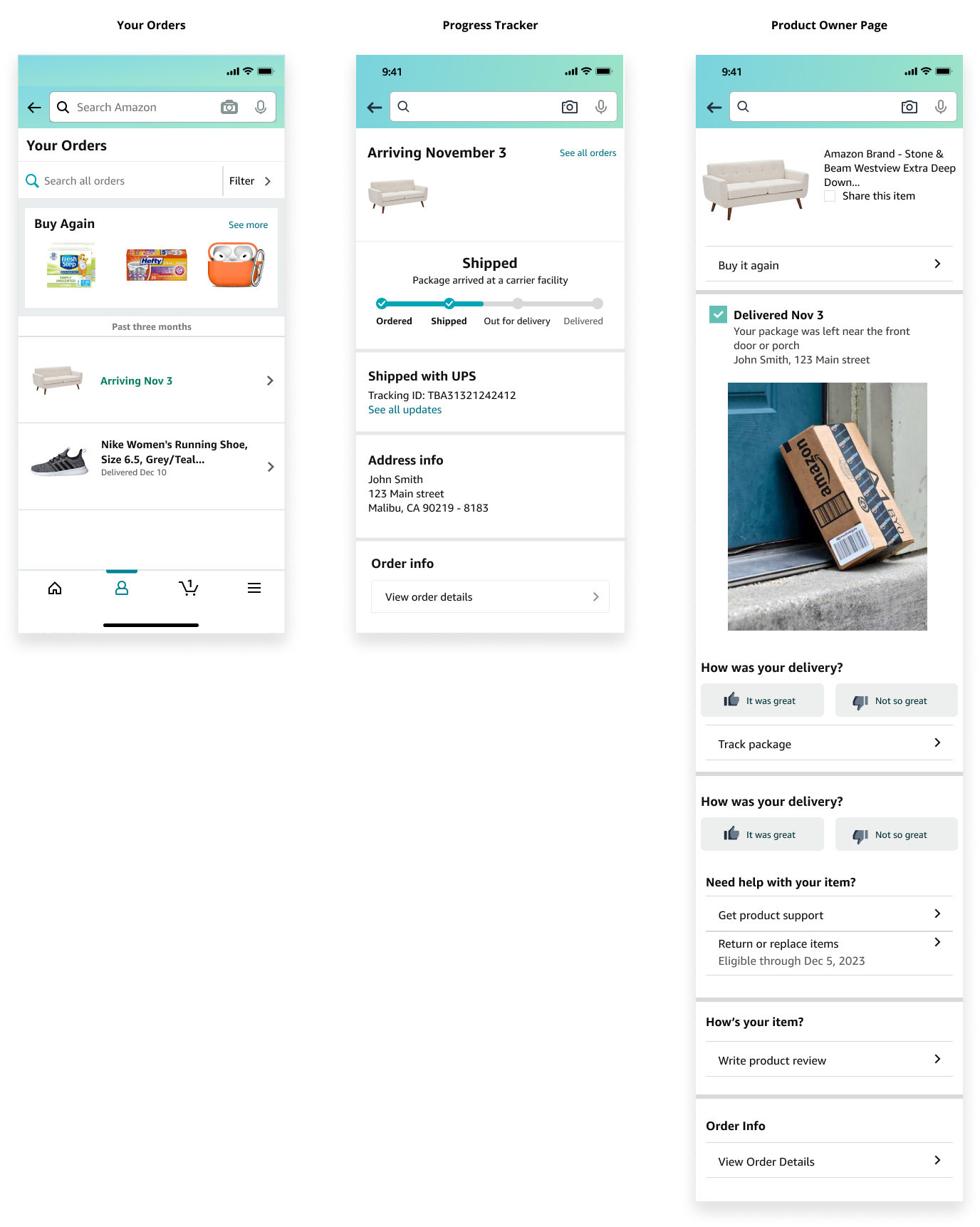
Push beyond a notification-only fix
I challenged the initial email-and-SMS proposal and presented three levels of investment to leadership.
Mild / Notifications only
Low effort, but a fragmented experience
Email and SMS minimized engineering work but sent customers to carrier websites. These messages could also look like scams.
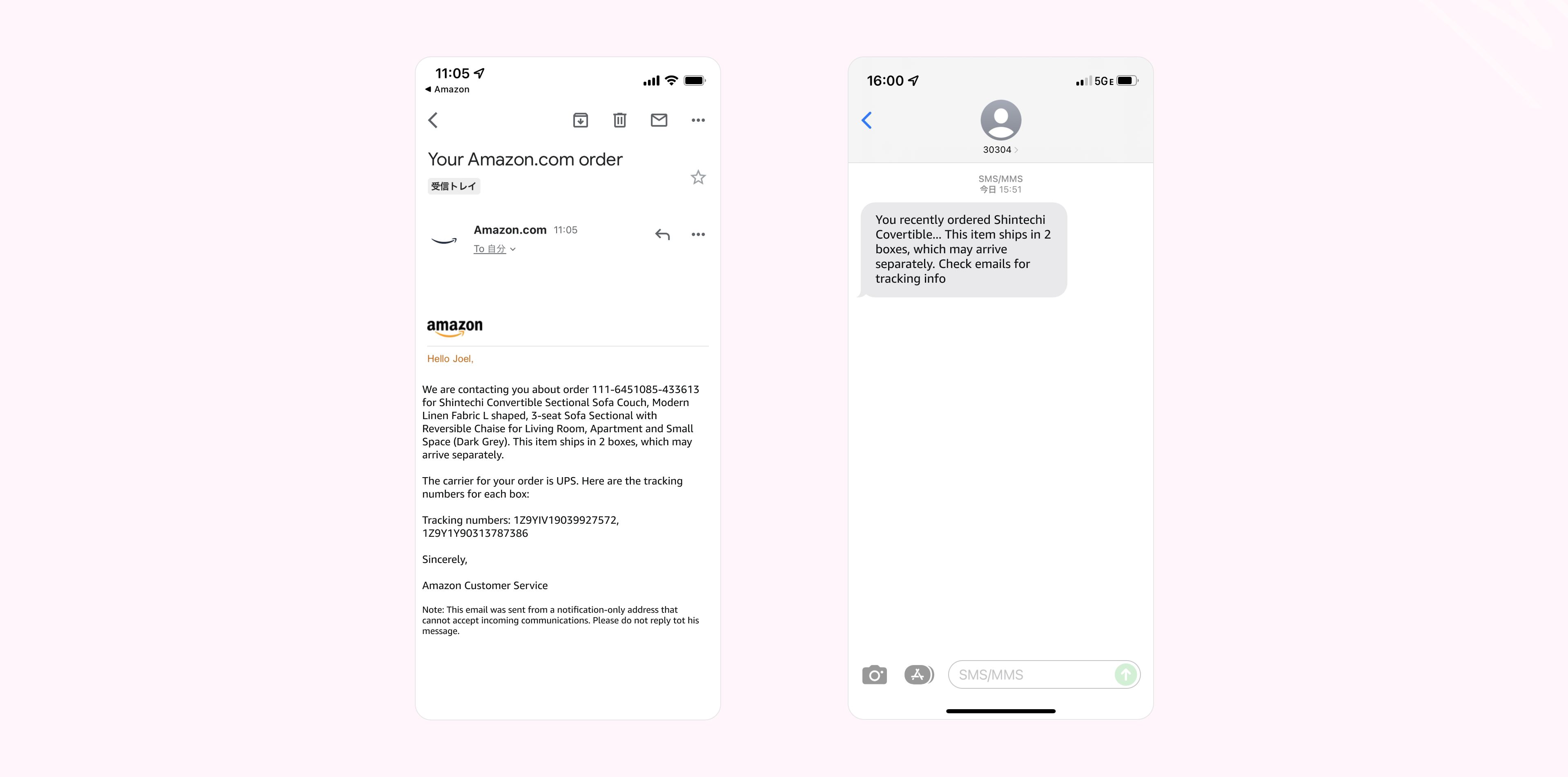
Medium / Separate cards
Track every box inside Amazon
A card and tracker for each box kept information in Amazon. But large orders would crowd Your Orders with separate cards.
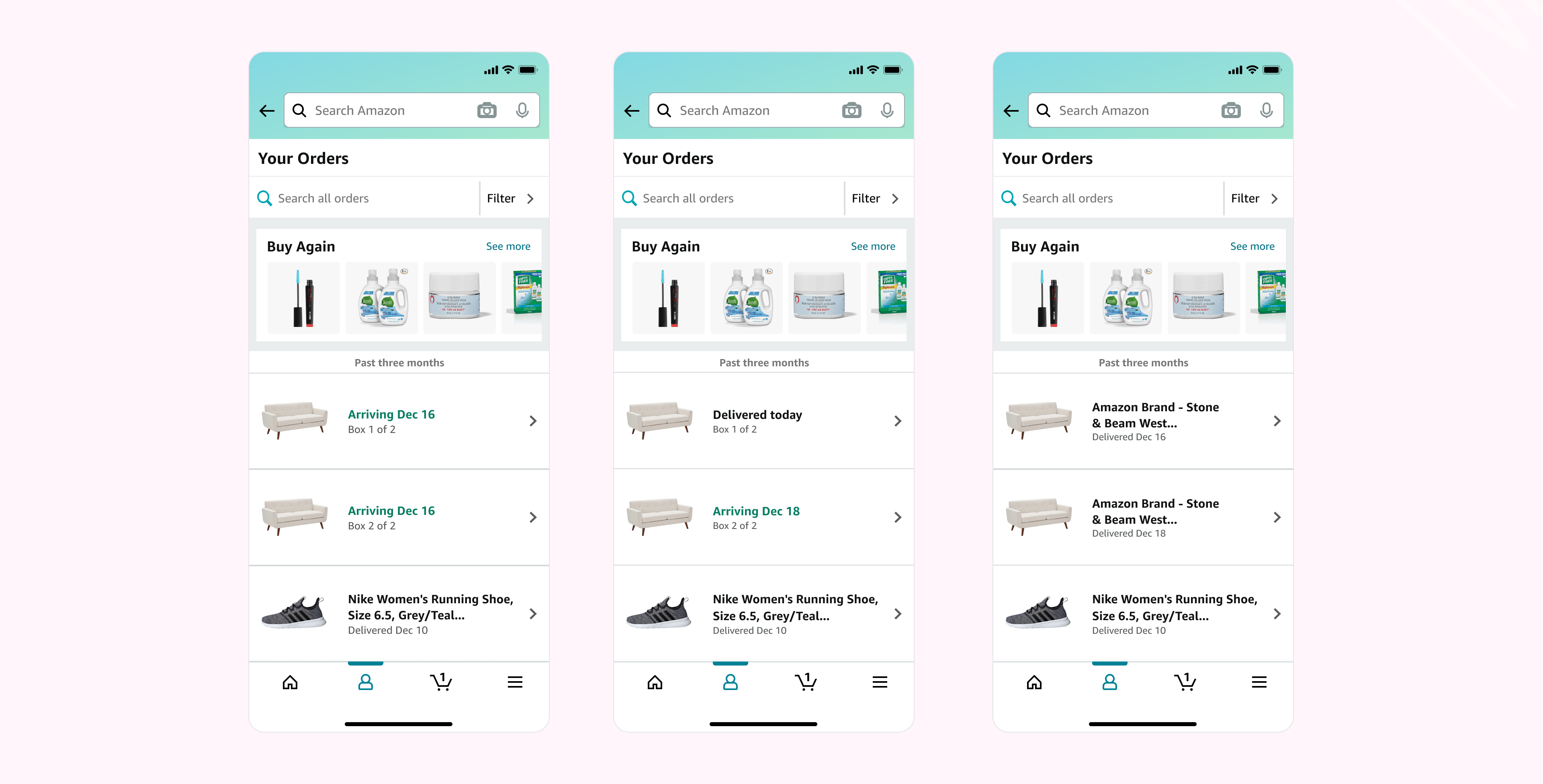
Spicy / The hub
Keep one order together, with detail for every box
A dedicated hub kept the order together while making every box trackable, without crowding the order list.
Start with the order. Drill into any box.
More than 80% of customers tracked orders through mobile Your Orders and viewed it as their hub for order information. I made that the entry point: the order card states how many boxes to expect and opens the Multi-Box hub.
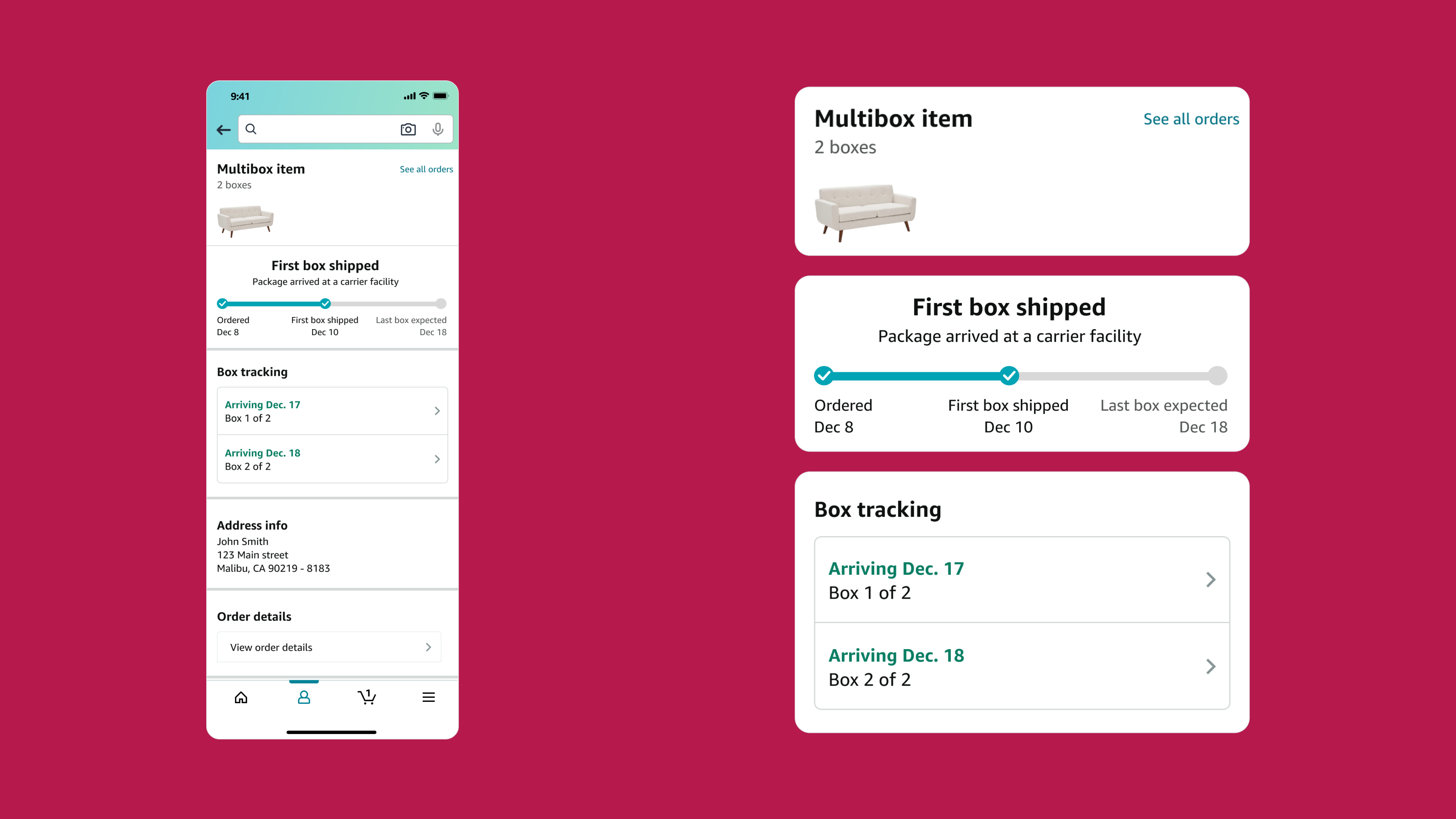
See the whole delivery
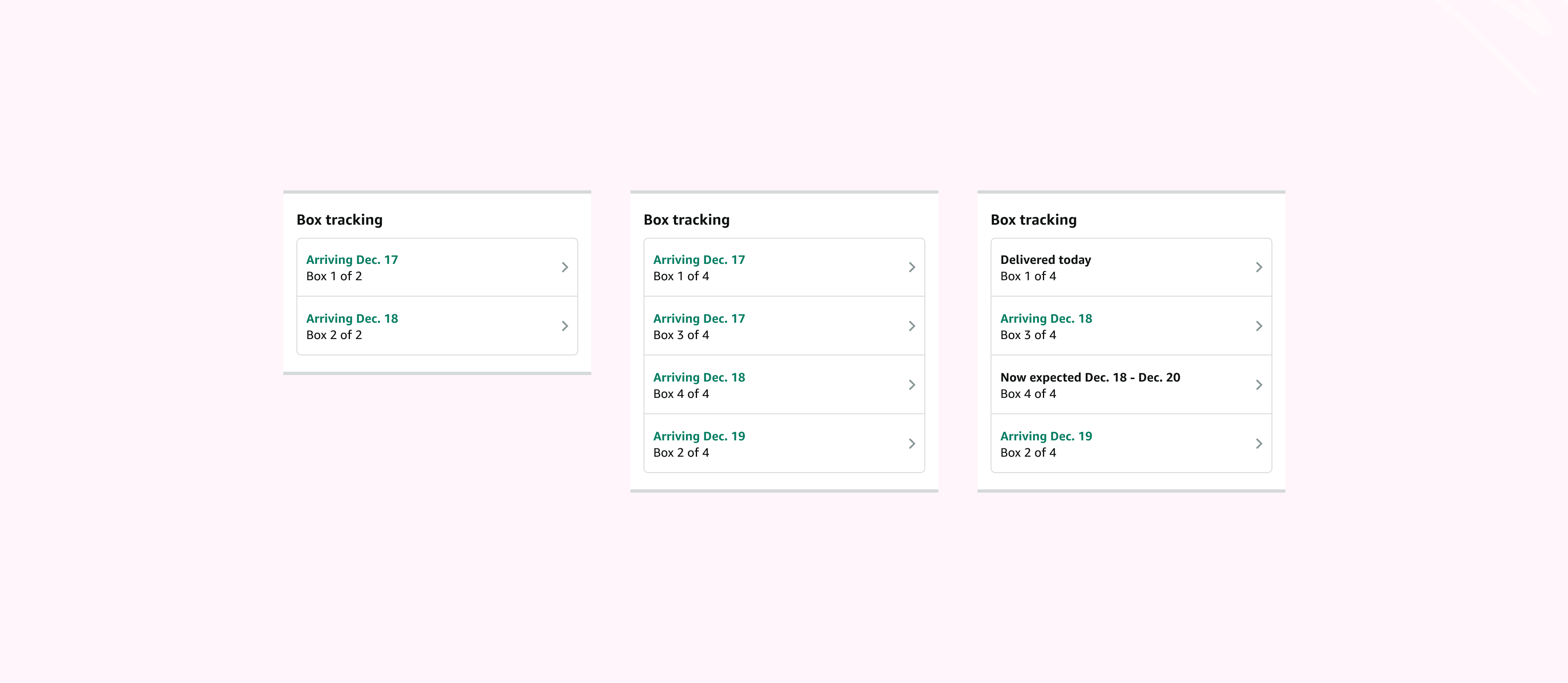
The overview shows every box in flight. Customers can tap a box to open its individual progress tracker and investigate its status.
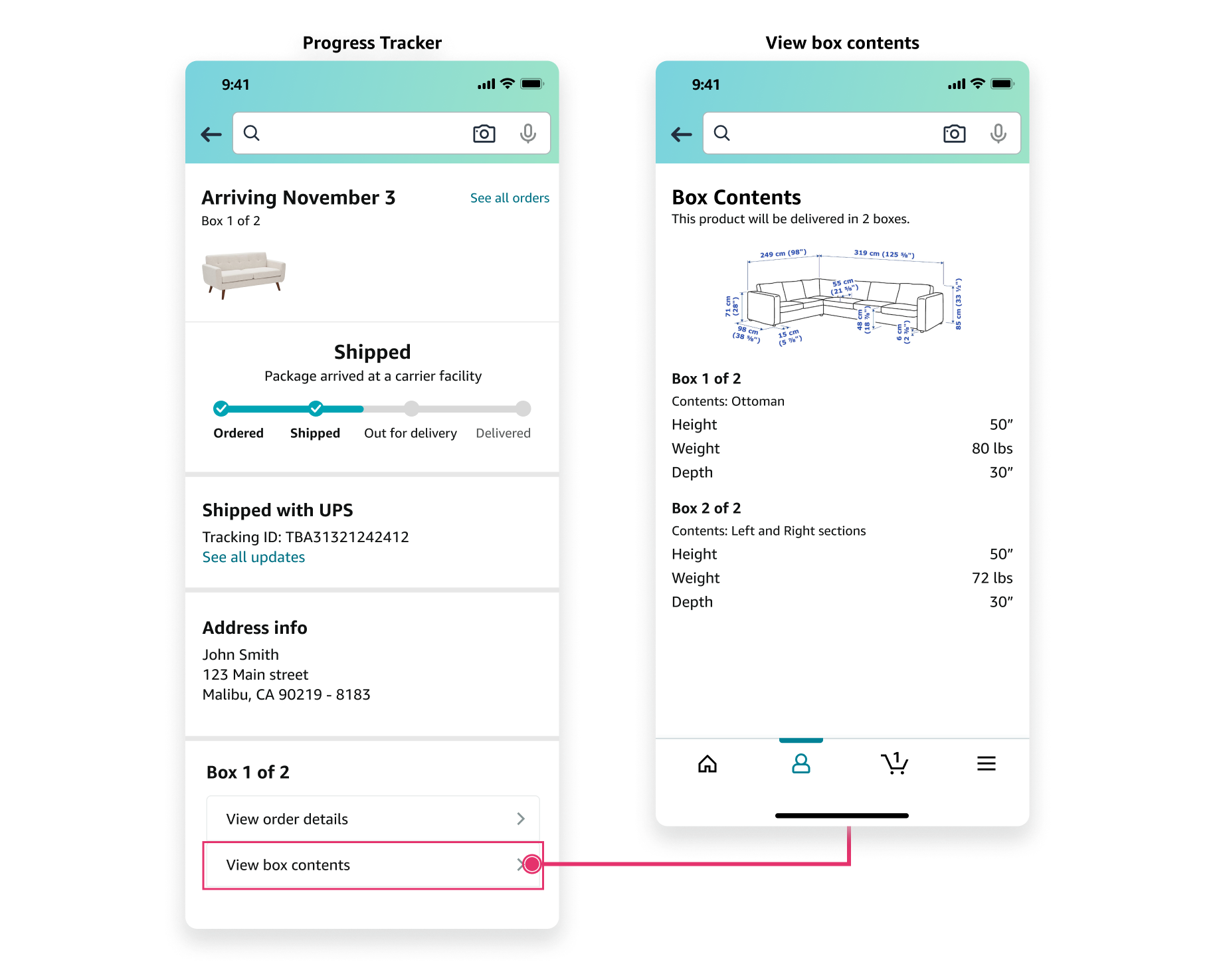
Understand what is in each box
Box-content links across the experience let customers see the contents and dimensions of each package.
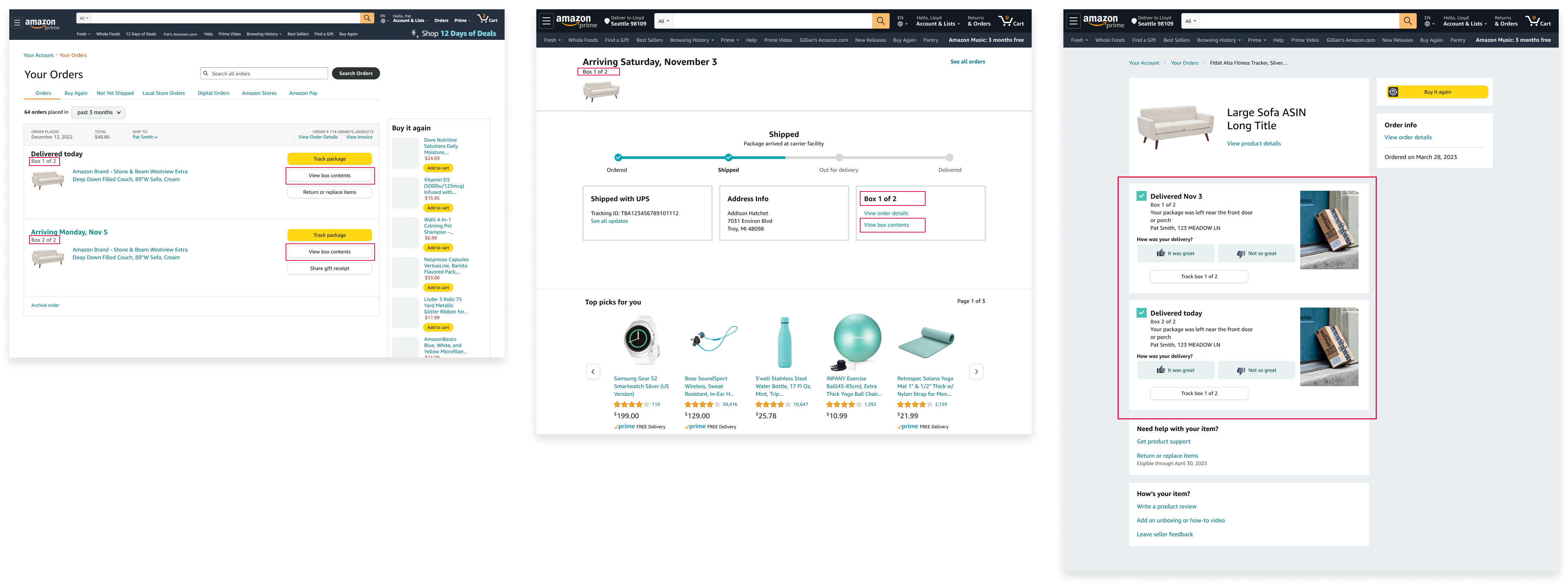
Make the framework work beyond one screen
I coordinated approvals across teams, gained internal and leadership alignment, and expanded the framework to dozens of use cases around the world.
The experience also extended to desktop, preserving access to multi-box information across devices.
Explore the experience
Open prototype in a new tab ↗︎Earlier iterations, cross-team alignment, and the wider set of use cases are available in a detailed presentation.
Contact me for the full story ↗︎